
$100M CEO: "We Fire People Who Won't Use AI" (Not People Replaced by It)

Top Insights
$100M CEO Sean Frank: "We Fire People Who Won't Use AI" (Not People Replaced by It)
Ridge CEO Sean Frank just torched the AI job-loss narrative in a blunt X thread. His company hasn't axed a single role because of AI. But refuse to pick up new tools? That'll get you walked out. Nobody's getting replaced. They're getting stretched. Frank's revenue-per-head target used to be $1M. Now it's $2M he thinks it'll hit $5M by next year.
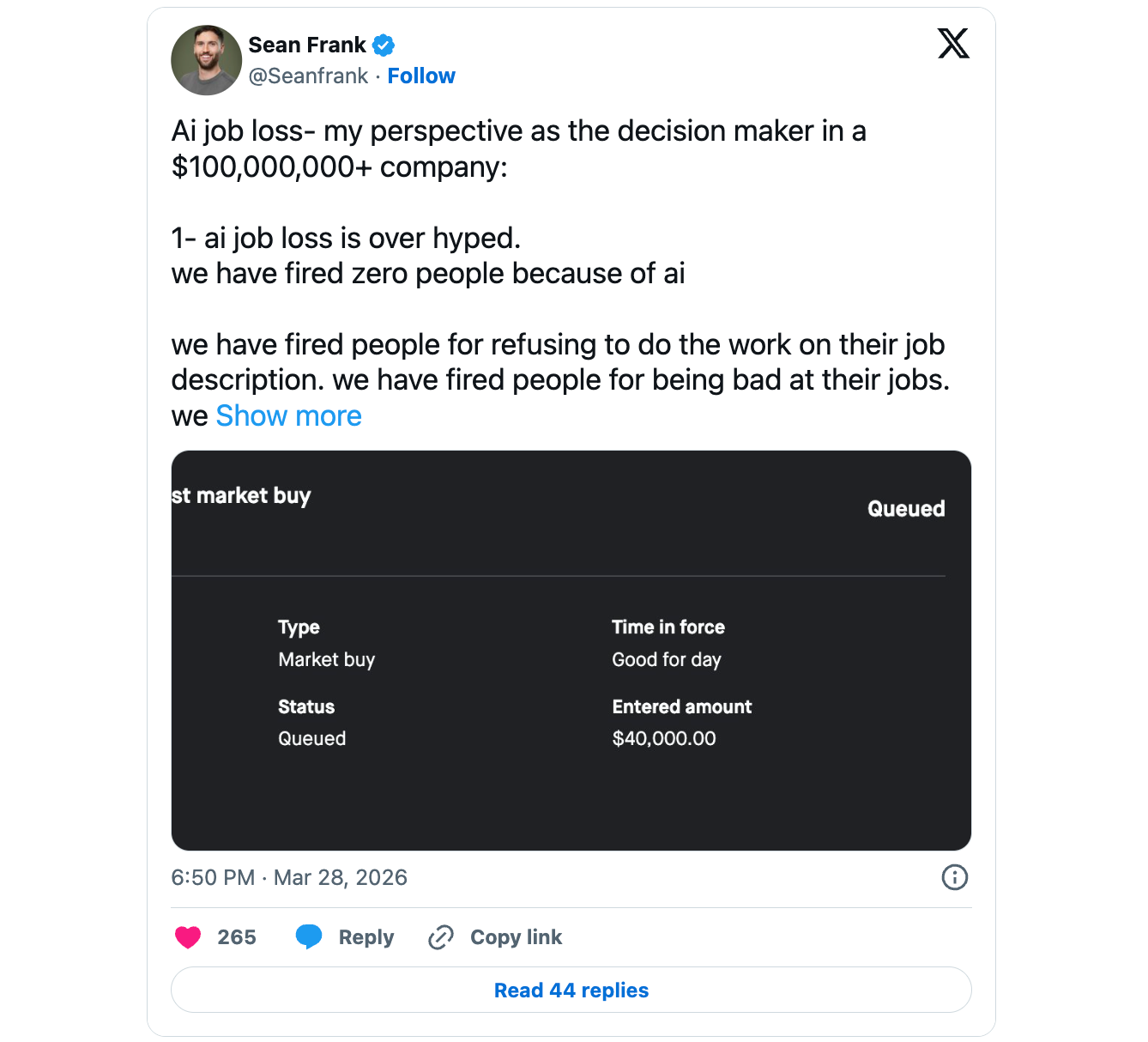
He says agents chew through the grunt work, but every vertical still needs a human who owns the decisions. Pull that person and the whole thing falls apart. You're not competing against AI for your job. You're competing against the version of your coworker who actually learned to use it.
Adobe Report: How the Rise of AI Is Changing Customer Behaviors
Adobe surveyed 4,000 consumers globally for their 2026 AI and Digital Trends report to figure out when people actually embrace AI in their buying journey, and when it pushes them away.
- One touchpoint does nothing. Only 12% of customers feel ready to buy after a single personalized interaction. The real tipping point is three to five touches, which is where 40% of purchase decisions actually form. That's a sequencing problem most teams aren't solving for.
- Relevance alone won't save you. Even when content is personally relevant, 45% of customers will tune out a brand that hits them too often. The gap between "this is useful" and "leave me alone" is thinner than most marketing calendars assume.
- Customers want AI that doesn't feel like AI. 70% say personalized recommendations need to feel human. But a third will walk away the moment they realize content was AI-generated. That's an impossibly tight window, and most brands aren't even close.
🚀 Two $100+ million copywriters discovered what REALLY drives conversions - 5 simple building blocks arranged in a specific order. This framework is so powerful that beginners are generating 5-figure profits with it. And you can learn the full system in just 33 minutes.
Discover All 5 'Copy Blocks' Now
Prompt of the Week
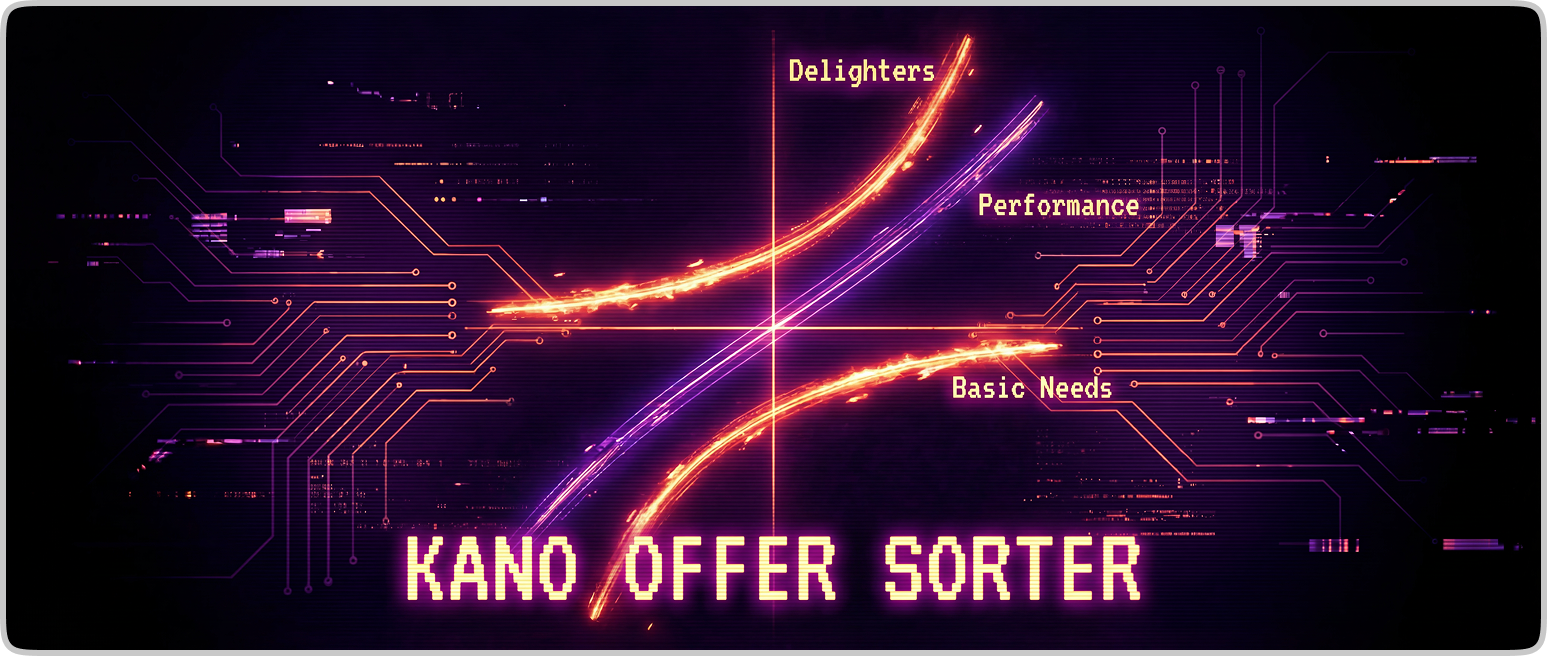
This Week's Feature: Kano Offer Sorter
Every offer is a stack of features, bonuses, and promises. But they don't all pull equal weight.
Some are table stakes...skip them and you lose trust. Some justify the price tag. And a rare few create outsized excitement relative to what they cost you.
The Kano Model sorts every element into those three buckets. This prompt runs that analysis on your offer and tells you what to keep, cut, reposition, or add.
THE FULL PROMPT:

You are an offer strategist applying Noriaki Kano’s customer satisfaction model to evaluate and improve any offer.
Analyze this offer:
- Offer name: [OFFER NAME]
- Offer type: [PRODUCT / SERVICE / SAAS / COURSE / MEMBERSHIP / OTHER]
- Target audience: [AUDIENCE]
- Core problem solved: [PROBLEM]
- Price point: [PRICE]
- Offer elements: [FEATURES, BENEFITS, BONUSES, SUPPORT, GUARANTEES, PROCESS, DELIVERABLES, DELIVERY DETAILS]
- Customer objections: [OBJECTIONS]
- Alternatives: [COMPETITORS / DIY / STATUS QUO]
- Buying context: [URGENT / OPTIONAL / HIGH-TRUST / LOW-TRUST / ETC.]
Classify every offer element into one Kano category:
1. Must-Have = expected; missing it reduces trust or makes the offer feel incomplete
2. Performance Feature = better execution increases satisfaction in a clear, linear way
3. Delighter = unexpected; creates disproportionate excitement or perceived value
For each element, determine:
- Category
- Why it fits that category
- Its likely effect on perceived value and conversion
- Whether it is under-invested, properly invested, or over-invested
- What to do next: keep, improve, simplify, reposition, bundle, or remove
Rules:
- Evaluate every listed element individually
- If an element could fit multiple categories, choose the strongest fit and explain why
- If information is missing, make the most reasonable assumption and label it clearly
- Do not use vague advice; make specific recommendations tied to buyer perception
Output exactly in this format:
1. Kano Classification Table
Columns: Element | Category | Why It Fits | Conversion Impact | Investment Level | Recommendation
2. Overinvestment Audit
Identify elements that likely require meaningful effort, time, or cost but add little buying motivation.
3. Delighter Opportunities
Suggest 5 low-cost or low-complexity additions that would create outsized perceived value for this audience.
4. Offer Restructure
Explain how to reorganize the offer so Must-Haves build trust, Performance Features justify the price, and Delighters increase desire.
5. Priority Actions
List the top 3 changes to make first, in order, based on likely conversion impact.

Tool to Try
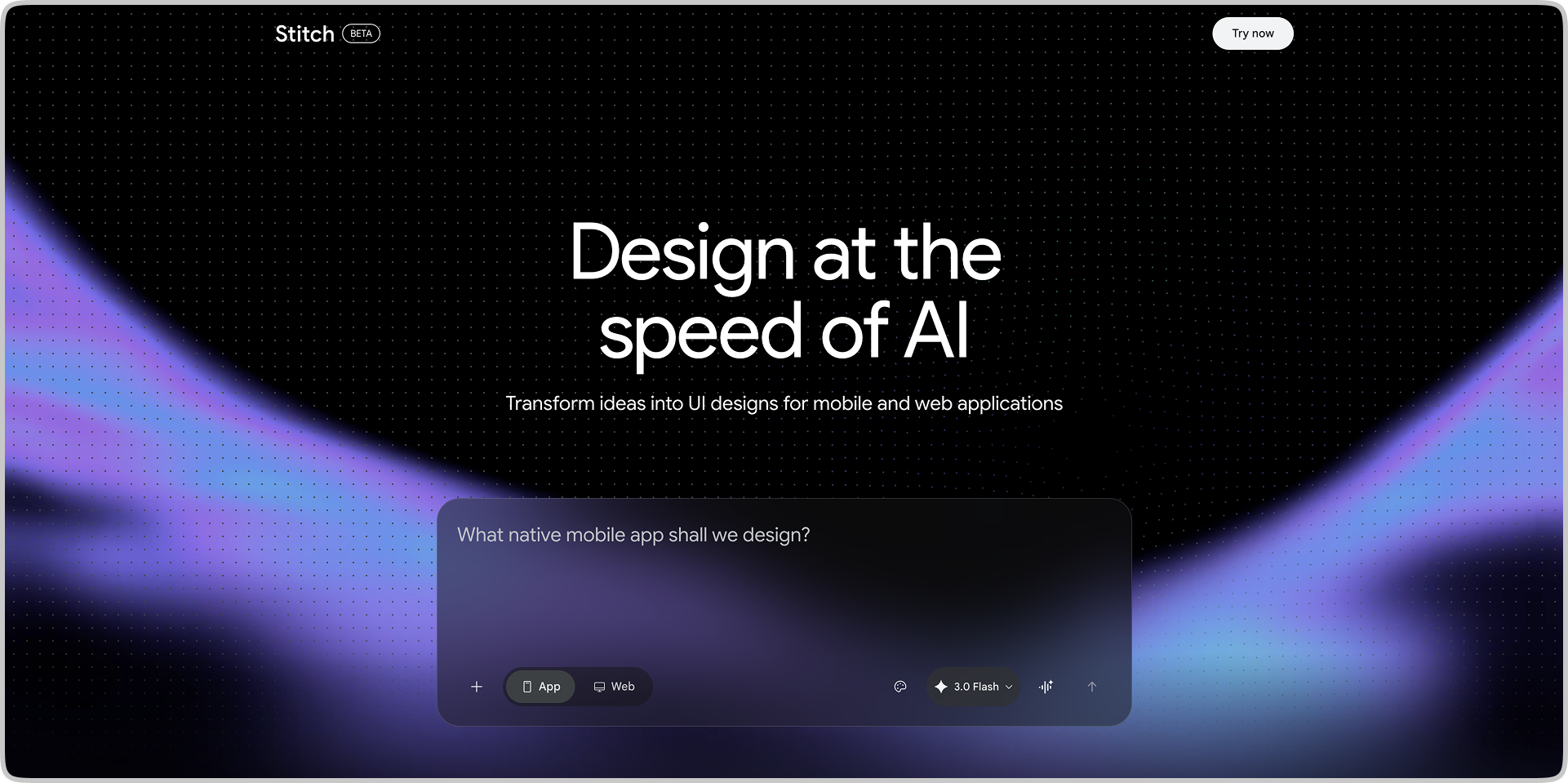
Google Stitch is a free, browser-based AI design tool from Google Labs that turns a text prompt, sketch, or screenshot into a complete UI design and exportable front-end code in minutes. It's built for founders, developers, and designers who want to go from blank canvas to clickable prototype without touching Figma first.
AI Tool Highlights:
✍️ Describe It, See It Instantly: Type what you want to build in plain English and Stitch generates full mobile or web UI layouts in roughly 90 seconds... Powered by Gemini 2.5 Pro for the highest-fidelity outputs.
🖼️ Upload a Sketch, Get a Real UI: Drop in a whiteboard photo, wireframe, or screenshot and Stitch converts it into a polished digital interface... Visual ideas become working designs without a single manual component.
🎨 Vibe Design Instead of Wireframing: Describe a feeling or business goal and Stitch generates multiple design directions to explore... Pick the direction that clicks, then refine from there.
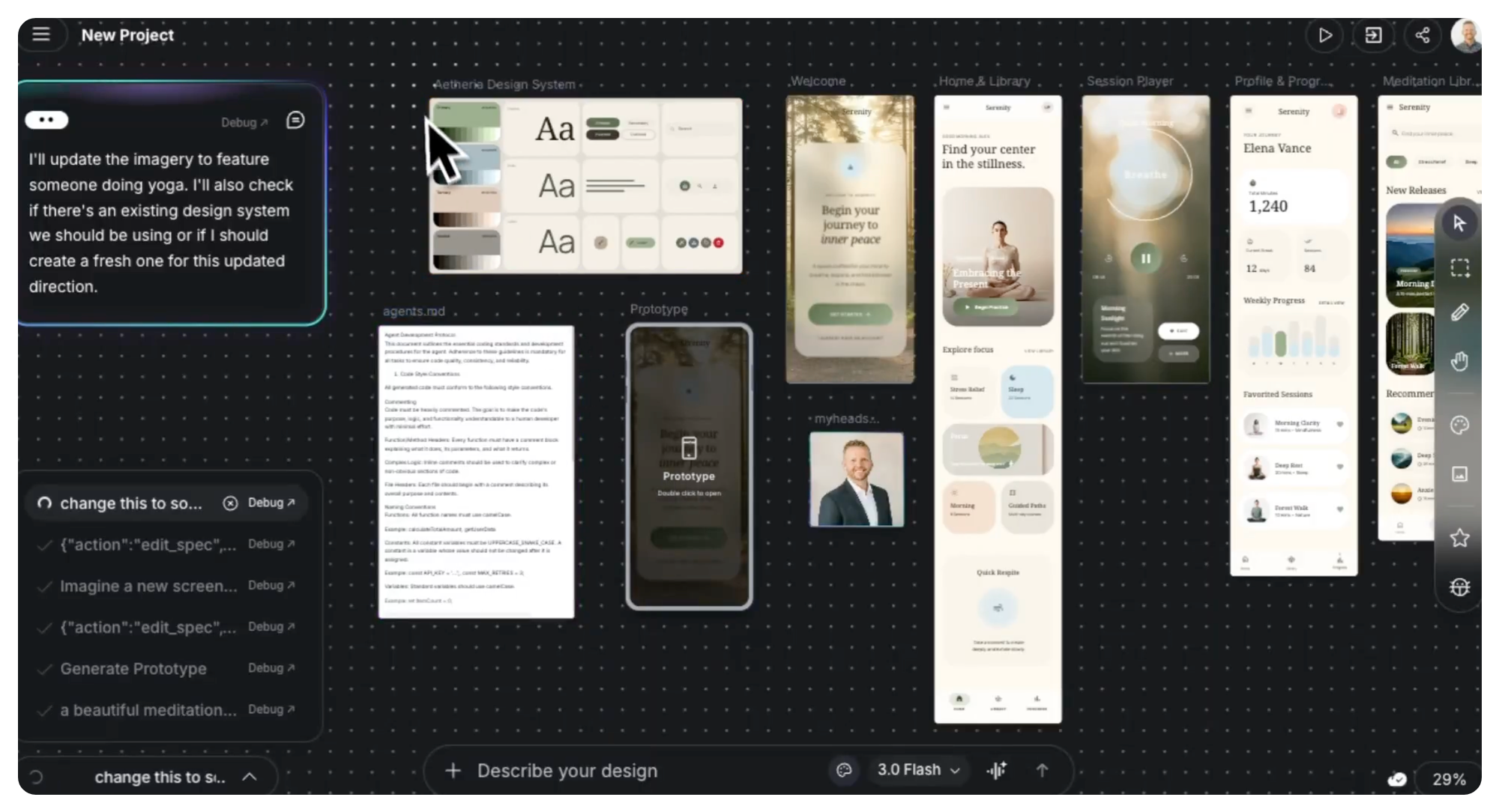
🔗 One-Click Export to Figma or Clean Code: Paste your design directly into Figma for team refinement, or grab the HTML/CSS and hand it straight to a developer... The gap between ideation and production just got a lot smaller.
🗺️ Stitch Screens Together Into a Prototype: Connect multiple screens in seconds and hit Play to preview the full user flow... The AI even suggests the next logical screen based on your previous ones.
💸 Completely Free, Zero Setup: Sign in with a Google account and start designing immediately — no waitlist, no credit card, no install... 350 standard generations and 200 pro-mode generations every month at no cost.
One More Need-to-Know News Story
Amazon's AI Now Answers Shopper Questions Directly Inside Your Ads
Shoppers abandon product pages when they can't find a quick answer. Amazon built a fix directly into your ads. A new AI feature called prompts reads your detail pages, Brand Store, and campaign data, then surfaces the right product info at the exact moment someone stalls.
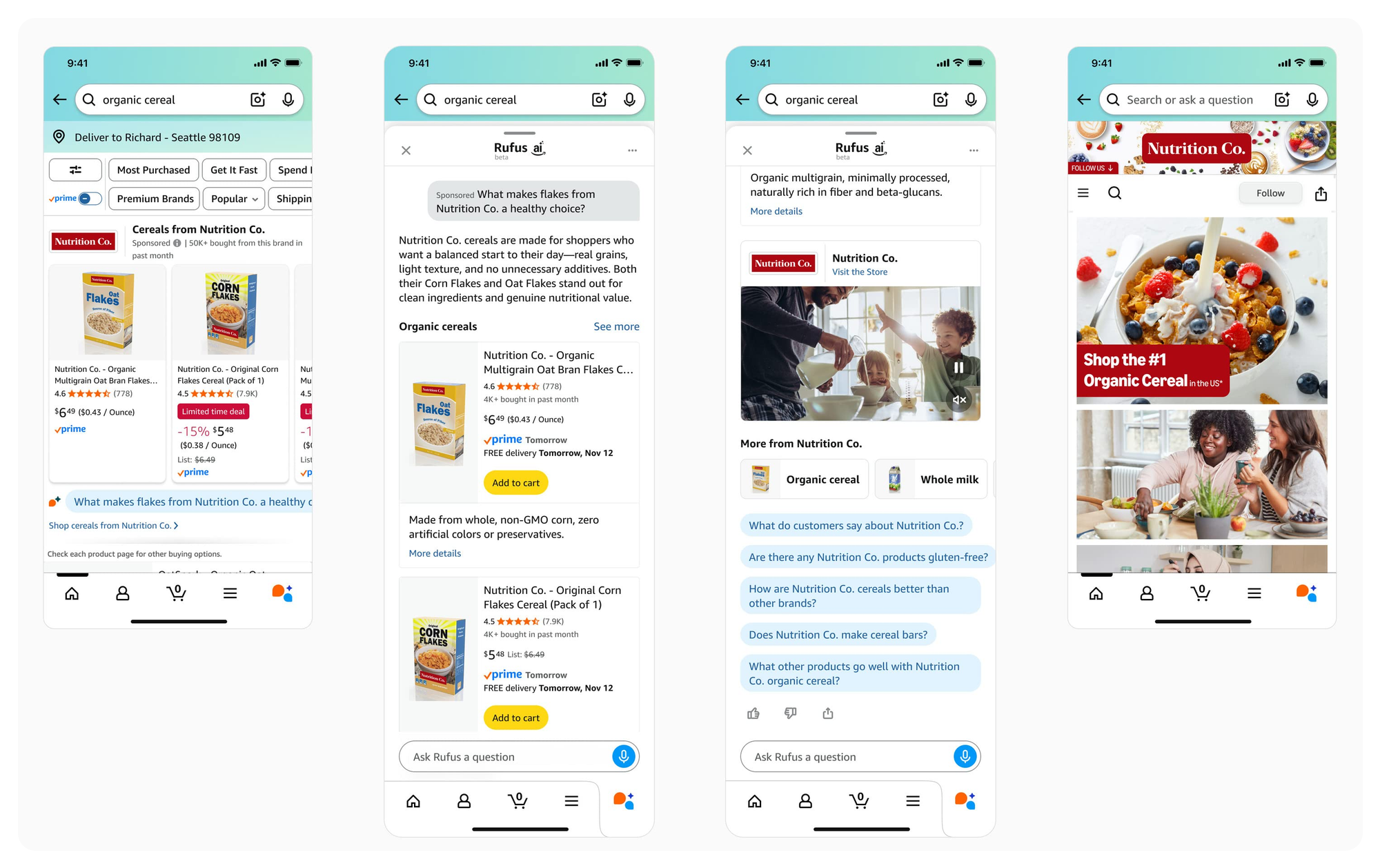
It's a 24/7 product expert that deepens buyer confidence without any extra setup. The feature has been in open beta since November 2025 but just moved to general availability in the U.S. on March 25.

Mind Fodder
Thanks for reading.
Until next time!
The AI Marketers
P.S. Help shape the future of this newsletter – take a short 2-minute survey so we can deliver even better AI marketing insights, prompts, and tools.
[Take Survey Here]
